Workflow Setup
To set up a Mesh to Point Cloud workflow:
Add a File Chooser step (or another step that provides a Zinc mesh EXF file) and a Mesh to Point Cloud step to the workflow area.
Configure the File Chooser step to specify the Zinc EXF file that defines the mesh to be sampled.
Connect the output port of the File Chooser step to the input port of the Mesh to Point Cloud step, as shown in Fig. 1.
The Mesh to Point Cloud step does not require additional configuration—it is ready to use by default.
Connect the output port of the Mesh to Point Cloud step to another step depending on your objective. In Fig. 1, the output is connected to a File Location Sink step, which allows you to specify a local directory for saving the output file.
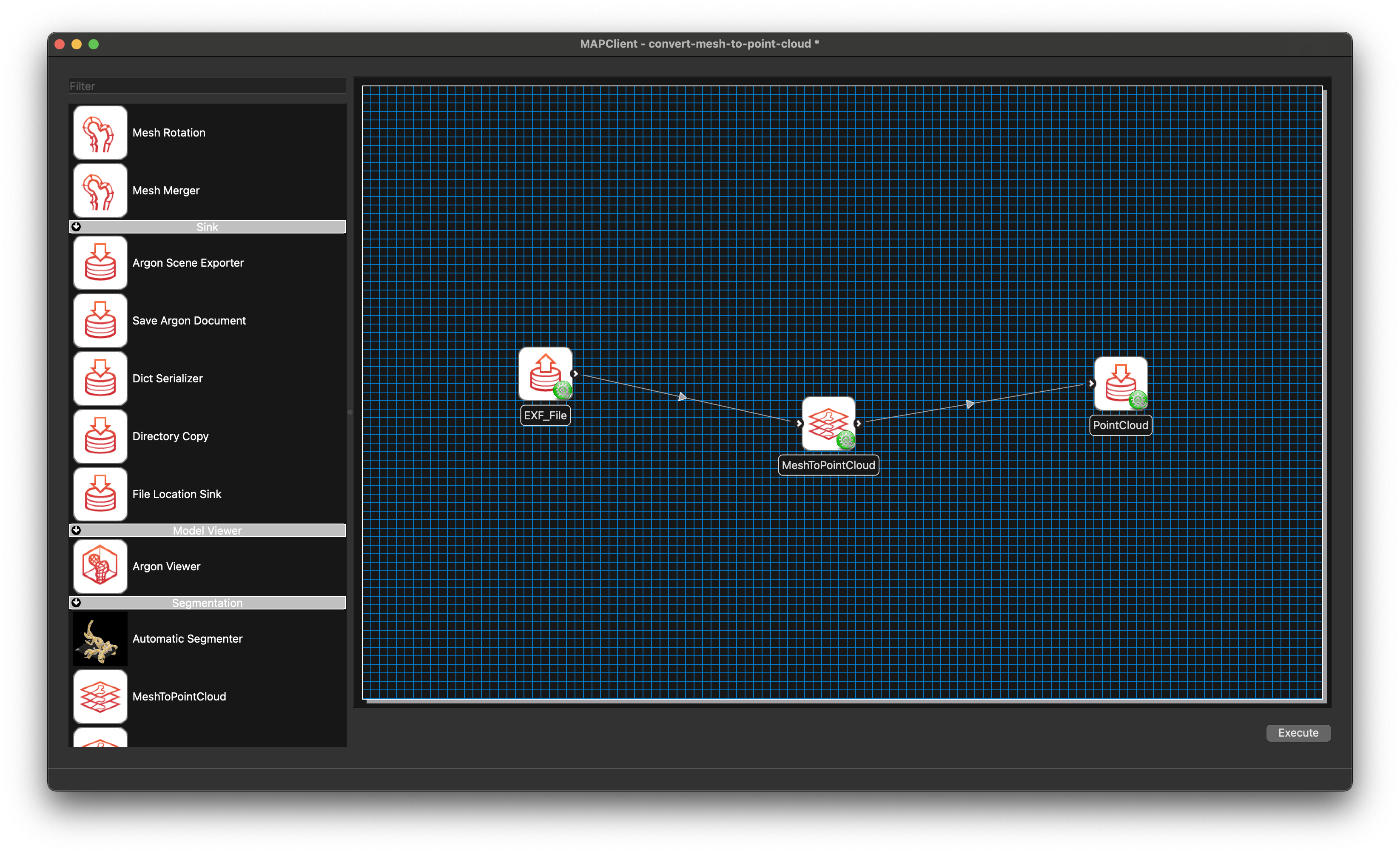
Mesh to Point Cloud workflow connections.
Once the workflow is set up, save it and click the Execute button to launch the Mesh to Point Cloud GUI.